
Your Website Is Your First Impression — Is It Costing You Customers?
Here is a brutal truth most business owners do not want to hear: your website is being judged within 0.05 seconds. That is 50 milliseconds. In that sliver of time, visitors have already decided whether your business looks credible, modern, and worth their time — or whether they should hit the back button and go to your competitor.
In 2026, the bar for web design has never been higher. Users expect blazing-fast load times, seamless mobile experiences, clean layouts, and intuitive navigation. If your website was built more than 3-4 years ago and has not had a significant update, there is a strong chance it is silently killing your business.
The problem? Most business owners do not realise their website is the bottleneck. They will spend thousands on ads, social media marketing, and content creation — then send all that traffic to a website that looks like it was built in 2018. That is like spending a fortune on billboards directing people to a run-down storefront.
“Good design is good business.” — Thomas Watson Jr., former CEO of IBM
In this guide, we will walk through 11 unmistakable signs that your website needs a redesign. If you recognise even 3-4 of these, it is time to act.
Sign #1: Your Website Is Not Mobile Responsive
This is the single biggest red flag in 2026. Over 65% of all web traffic now comes from mobile devices. If your website does not look and function perfectly on smartphones and tablets, you are alienating the majority of your audience.
A non-responsive website means:
- Text is too small to read without zooming
- Buttons are too tiny to tap accurately
- Images overflow the screen or get cut off
- Users have to scroll horizontally (an absolute UX sin)
- Forms are nearly impossible to fill out on a phone
But here is what makes this even more critical: Google uses mobile-first indexing. This means Google primarily looks at the mobile version of your site for ranking purposes. If your mobile experience is broken, your search rankings suffer directly — not just your user experience.
Quick test: Open your website on your phone right now. Can you read all the text without zooming? Can you navigate the menu easily? Can you fill out a form? If the answer to any of these is no, a redesign is overdue.
Sign #2: Slow Loading Times
Speed is not a luxury — it is a survival metric. 53% of mobile users abandon a site that takes longer than 3 seconds to load. Every additional second of load time decreases conversions by approximately 7%.
Common causes of slow websites include:
- Unoptimised images — Large JPEGs and PNGs that have not been compressed or converted to modern formats like WebP or AVIF
- Bloated code — Years of plugins, patches, and workarounds creating technical debt
- Outdated hosting — Cheap shared hosting that cannot handle modern traffic loads
- No caching strategy — Every visit forces the browser to download everything from scratch
- Too many third-party scripts — Analytics, chat widgets, social plugins, and tracking pixels all competing for resources
- No CDN (Content Delivery Network) — Serving files from a single server location instead of globally distributed edge nodes
Run your website through Google PageSpeed Insights (pagespeed.web.dev). If your performance score is below 70 on mobile, you have a serious problem that surface-level fixes will not solve. A ground-up redesign with modern frameworks and optimised assets is often the most cost-effective solution.
Modern websites built with frameworks like Next.js, Astro, or SvelteKit can achieve load times under 1 second. If your site is taking 4-6 seconds, you are in a different era entirely.
Sign #3: High Bounce Rate and Low Time on Page
Your analytics do not lie. If visitors are landing on your website and leaving almost immediately, something is fundamentally wrong. Here is what the numbers tell you:
- Bounce rate above 70% — Most visitors are not finding what they need or are put off by the design
- Average time on page under 30 seconds — People are not reading your content or engaging with your site
- Pages per session below 1.5 — Visitors are not exploring beyond the page they landed on
High bounce rates are often a symptom of deeper design problems: confusing navigation, walls of text without visual hierarchy, irrelevant content above the fold, slow load times, or simply a design that does not inspire trust.
An outdated design creates an unconscious trust deficit. When a user lands on a website that looks like it has not been updated in years, they instinctively question whether the business is still active, reputable, or competent. Design is a trust signal, and an old design signals neglect.
A redesign focused on clear visual hierarchy, compelling above-the-fold content, fast loading, and intuitive user flows can dramatically reduce bounce rates — often by 30-50%.
Sign #4: You Are Still Using Outdated Design Trends
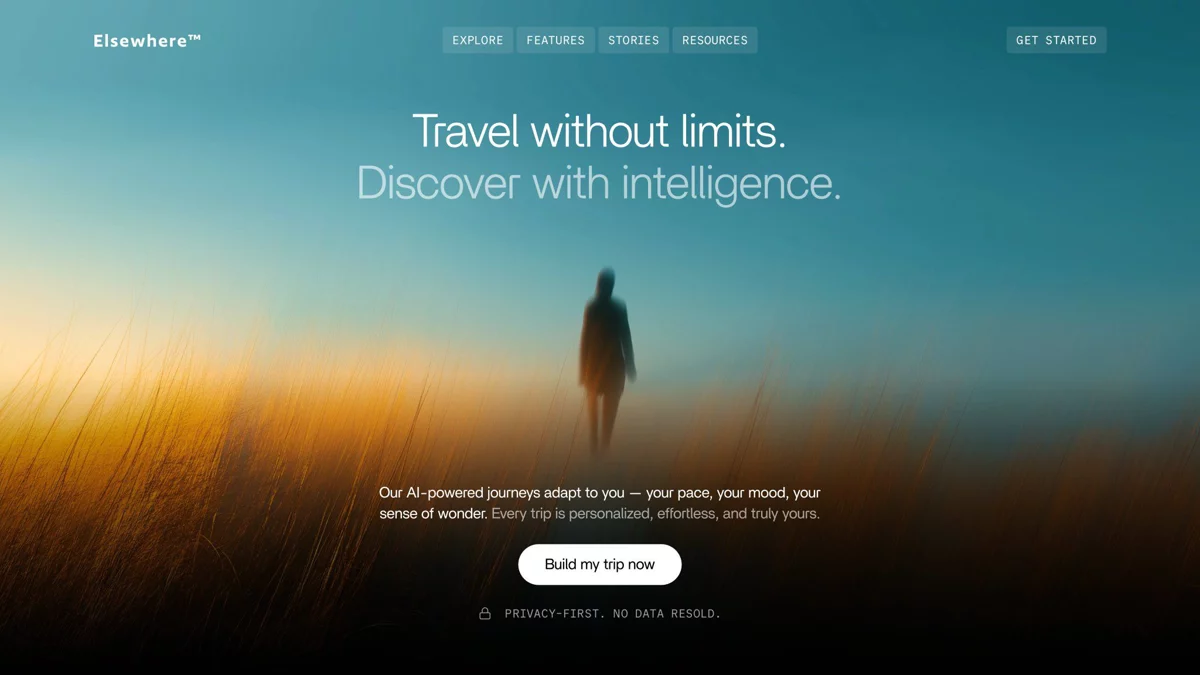
Design trends evolve rapidly. What looked cutting-edge in 2020 looks dated in 2026. Here are design elements that instantly age your website:
- Stock photos of people in suits shaking hands — Nothing screams generic louder
- Carousel/image sliders on the homepage — Studies consistently show users ignore them and they slow down load times
- Tiny body text (12-13px) — Modern sites use 16-18px minimum for readability
- Cluttered layouts with no whitespace — Clean, spacious design is the standard now
- Skeuomorphic design elements — Fake 3D buttons, drop shadows everywhere, and glossy effects
- Sidebar-heavy layouts — The sidebar-laden blog layout from the WordPress 2015 era looks ancient
- Rainbow colour schemes — Inconsistent or excessive colours with no cohesive palette
- Autoplay videos or background music — Users universally hate this
In 2026, effective web design is characterised by:
- Clean, generous whitespace
- Bold typography as a design element
- Subtle micro-animations and scroll-based interactions
- Dark mode support
- Custom illustrations and authentic photography
- Minimalist navigation
- Accessible, high-contrast colour palettes
If your website still looks like it belongs in 2019, your visitors notice — even if they cannot articulate exactly what feels off.
Sign #5: No HTTPS (SSL Certificate)
If your website URL starts with http:// instead of https://, you have a critical problem. Browsers like Chrome now display a prominent “Not Secure” warning for HTTP sites. This warning alone is enough to make most visitors leave immediately.
Beyond the trust issue:
- Google confirmed HTTPS as a ranking factor — HTTP sites are penalised in search results
- Form data is transmitted unencrypted — Any contact forms, login pages, or payment information is vulnerable
- Many modern web features require HTTPS — Service workers, geolocation, camera access, and push notifications only work on secure connections
While adding an SSL certificate does not strictly require a full redesign, the absence of HTTPS is often a sign that the entire site infrastructure is outdated and has not been properly maintained. If your hosting provider does not offer free SSL (most modern hosts include it), it is time to move your entire web presence to a modern stack.
Sign #6: Built with Flash or Other Obsolete Technology
This one should be self-evident, but you would be surprised how many business websites are still running on technologies that are either dead or dying:
- Adobe Flash — Officially discontinued in 2020. Flash content literally does not work in modern browsers
- Frames and iframes for layout — An HTML relic from the late 1990s
- Table-based layouts — Using HTML tables for page structure instead of modern CSS
- Ancient CMS versions — Running WordPress 4.x, Joomla 2.x, or Drupal 7 with years of unpatched security vulnerabilities
- jQuery spaghetti code — Mountains of jQuery plugins held together with duct tape
- PHP 5.x or 7.x — End-of-life versions with known security vulnerabilities
Outdated technology is not just an aesthetic problem — it is a security liability. Old CMS versions and unpatched plugins are the primary attack vector for website hacking. If your site is running outdated software, it is not a matter of if you will be compromised, but when.
A modern rebuild using current technologies ensures better performance, stronger security, easier maintenance, and access to modern web capabilities like progressive web apps, server-side rendering, and AI integrations.
Sign #7: It Is Difficult to Update Content
Can you update your website content without calling a developer? If the answer is no, you have a major problem. In 2026, your website needs to be a living, breathing asset — not a static brochure that requires a developer every time you want to change a phone number or add a new service.
Signs that your content management is broken:
- You need to email a developer for every minor text change
- Adding a new page takes days or weeks
- The CMS backend is confusing, slow, or broken
- You have stopped updating the blog because the editor is unusable
- The site breaks every time someone tries to edit something
- There is no staging environment to preview changes before they go live
Content freshness is an SEO signal. Google favours websites that are regularly updated with new, relevant content. If your CMS is so difficult to use that your team has given up on making updates, your SEO is slowly decaying.
Modern CMS options like WordPress (with proper setup), Sanity, Strapi, Contentful, or even headless CMS setups with Next.js make content updates simple, fast, and safe. A redesign should put content management at the centre — empowering your team to make changes without technical help.
Sign #8: No Clear Calls to Action (CTAs)
Every page on your website should guide visitors toward a specific action. If your site does not have clear, compelling CTAs, you are essentially inviting people into a store with no signs, no sales staff, and no checkout counter.
Common CTA problems on outdated websites:
- No CTA at all — Pages that end abruptly with no next step for the visitor
- Buried CTAs — A tiny Contact Us link hidden in the footer
- Vague CTAs — Submit or Click Here instead of specific, benefit-driven language
- Only one CTA on the entire site — Missing opportunities on service pages, blog posts, and the About page
- No visual distinction — CTAs that blend into the design instead of standing out
Effective CTAs in 2026 are:
- Action-oriented: “Get Your Free Quote,” “Book a Strategy Call,” “Start Your Project”
- Visually prominent: High-contrast buttons that stand out from the page background
- Strategically placed: Above the fold, after key content sections, and at the bottom of every page
- Multiple per page: Different CTAs for different stages of the buyer journey (learn more, compare, contact, buy)
A redesign should map out a complete conversion architecture — ensuring every page has a clear purpose and a clear path forward for the visitor.
Sign #9: Poor Accessibility
Web accessibility is not optional anymore — it is a legal requirement in many jurisdictions and a moral imperative everywhere. If your website is not accessible, you are excluding an estimated 15-20% of the population who have some form of disability.
Common accessibility failures on outdated websites:
- No alt text on images — Screen readers cannot describe images to visually impaired users
- Poor colour contrast — Light grey text on white backgrounds is unreadable for many people
- No keyboard navigation — Users who cannot use a mouse have no way to navigate the site
- Missing form labels — Screen readers cannot identify what information each field requires
- No heading hierarchy — Using text formatting (bold, large font) instead of proper H1-H6 heading tags
- Auto-playing media — Disorienting for users with cognitive disabilities
- No skip-to-content link — Keyboard users must tab through the entire navigation on every page
- Non-descriptive link text — “Click here” and “Read more” provide no context for screen reader users
Beyond the ethical and legal considerations, accessibility improvements boost SEO. Proper heading structure, alt text, semantic HTML, and fast load times are signals that search engines reward. A redesign built on WCAG 2.2 standards from the ground up ensures your site serves everyone — and ranks better because of it.
Sign #10: Your Competitors Websites Look Better Than Yours
This one hurts, but it matters. Do a side-by-side comparison. Open your website in one tab and your top 3-5 competitors websites in other tabs. Now be honest:
- Whose site looks more professional?
- Whose site loads faster?
- Whose messaging is clearer?
- Whose site is easier to navigate?
- Whose site would you trust more if you were a customer?
If your competitors are consistently winning this comparison, you have a problem that no amount of advertising can fix. When a potential customer is comparing options — and they always are — your website is your silent salesperson. If that salesperson looks tired, confused, and outdated while your competitor looks sharp, modern, and confident, who gets the sale?
This is especially critical in competitive industries. If you are a law firm, real estate agency, SaaS company, or any business where customers compare multiple providers before making a decision, your website design directly impacts win rates. A redesign that positions your brand as the premium, trustworthy option can shift market perception in your favour.
Sign #11: Low Conversion Rates Despite Good Traffic
This is arguably the most expensive problem on this list. If you are investing in SEO, paid ads, or content marketing and getting decent traffic — but that traffic is not converting into leads, enquiries, or sales — your website is the leak in the bucket.
You are literally paying for people to visit your website and then watching them leave without taking action. Common conversion killers:
- Confusing user journey — Visitors do not know where to go or what to do next
- Trust deficit — No testimonials, case studies, certifications, or social proof
- Weak value proposition — Visitors cannot quickly understand what you do and why they should choose you
- Friction in forms — Too many fields, confusing layouts, or forms that do not work on mobile
- No urgency or incentive — No reason for the visitor to act now instead of coming back later (they will not)
- Slow site speed — As discussed earlier, every second of delay costs conversions
Here are benchmark conversion rates to compare against:
| Industry | Average Conversion Rate | Top Performers |
|---|---|---|
| E-commerce | 2.5-3% | 5-10% |
| B2B Services | 2-4% | 7-12% |
| SaaS | 3-5% | 8-15% |
| Real Estate | 1-3% | 5-8% |
| Healthcare | 2-4% | 6-10% |
If you are below these averages despite solid traffic, a conversion-focused redesign — with proper user research, A/B testing capability, heatmap analysis, and strategic CTA placement — can double or triple your conversion rate without increasing your marketing spend.
How Often Should You Redesign Your Website?
There is no universal answer, but here are general guidelines:
- Full redesign every 3-4 years — Technology, design trends, and user expectations evolve rapidly
- Incremental updates continuously — Content, imagery, and minor UI improvements should happen monthly
- Performance audits quarterly — Check speed, security, and analytics every 3 months
- Competitive analysis annually — Compare your site against competitors and industry leaders once a year
The best approach in 2026 is to build on a modern, maintainable tech stack that allows for continuous improvement rather than the traditional build-it-forget-it-for-5-years-panic-rebuild cycle.
The Cost of NOT Redesigning
Business owners often hesitate on a redesign because of the cost. But consider the cost of doing nothing:
- Lost leads every single day — Every visitor who bounces is a potential customer gone to your competitor
- Declining SEO rankings — Google algorithms increasingly favour fast, mobile-friendly, accessible sites
- Wasted ad spend — Sending paid traffic to an underperforming site is literally burning money
- Brand damage — An outdated website damages your perceived professionalism and credibility
- Security risks — Outdated technology is a ticking time bomb for data breaches
When you frame it this way, the redesign does not cost you money — it stops the bleeding.
Frequently Asked Questions About Website Redesign
How much does a website redesign cost?
Costs vary widely based on complexity. A small business website redesign typically ranges from INR 30,000 to INR 2,00,000+. Enterprise and e-commerce sites can range from INR 2,00,000 to INR 10,00,000+. The ROI from improved conversions usually pays for the redesign within months.
How long does a website redesign take?
A typical redesign takes 4-12 weeks depending on the scope. Small business sites can be done in 4-6 weeks, while larger sites with custom functionality may take 8-12 weeks or more.
Will I lose my SEO rankings during a redesign?
Not if done correctly. A proper redesign includes 301 redirects, URL mapping, metadata migration, and technical SEO preservation. An experienced agency will ensure your rankings are maintained or improved.
Should I redesign or just update my current website?
If your site has 3 or fewer issues from this list, updates may suffice. If you recognise 4+ signs, a full redesign is more cost-effective than patching an outdated foundation.
Ready to Modernise Your Website?
If you recognised your website in multiple signs on this list, it is time to take action. Every day you wait is another day of lost leads, lost revenue, and lost credibility.
At TML Agency, we design and develop fast, modern, conversion-focused websites that look stunning on every device and are built to generate results. From strategy and UX design to development and launch, we handle everything — so you get a website that actually works as hard as you do.
Let us build a website your business deserves. Explore TML Web Development Services or get in touch for a free website audit today.